
Digital Risk Assessment & Compliance Software for UK Leisure Centres
OpsPal is digital risk assessment and compliance software designed for UK leisure centres, swimming pools and gyms. We replace static paper binders with a cloud‑based risk register that tracks review dates, staff acknowledgement and version history, giving you live visibility of safety compliance across your entire estate. From pool plant operations and COSHH handling to soft play and gym equipment, OpsPal gives managers a real‑time, audit‑ready view of risk assessments with colour‑coded review reminders and clear audit trails for HSE inspections, Quest assessments and UK Active accreditation. See how BH Live have benefited from OpsPal







































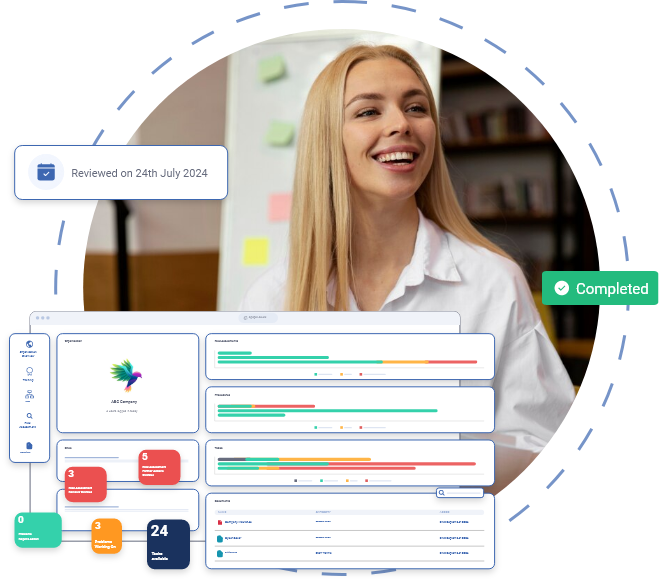
Create and Manage Leisure-Specific Risk Assessments
Building risk assessments for swimming pools, gyms, sports halls and fitness studios requires specialist knowledge of leisure hazards – from pool plant operations and chemical handling to gym equipment maintenance, soft play and group exercise activities.
Our OpsExcellence group includes free leisure‑specific risk assessment templates covering normal operating procedures (NOPs), emergency action plans (EAPs) and activity‑specific assessments for climbing walls, soft play areas and outdoor sports facilities. We run monthly sessions where everything created is free for you to use and adapt as you like.
You can create comprehensive risk assessments using a flexible format, then track all changes with version control that highlights additions in green and deletions in red. Review reminders appear automatically when assessments are due within 30 days, turning amber and then red if overdue so you can see at a glance which assessments need attention. Your team can access risk assessments on any internet‑connected device, so lifeguards, duty managers and maintenance teams have critical safety information when they need it.
Ensure Every Team Member Understands The Risks
It’s not enough to have risk assessments filed away
Staff acknowledgement is tracked if risk assessments are updated or if staff have not yet read them. The system uses a complete audit trail to record who acknowledged what and when, ready for inspections and audits. Updates trigger in‑app bell notifications. For critical changes, you can also log a problem in the system to ensure immediate email notification goes to the relevant staff member or manager, so urgent safety updates are never missed.
How staff acknowledgement works:
-
-
Update: Modify assessments in real time (e.g., during pool closures or equipment faults).
-
Notify: Instantly alert affected staff via the in‑app notification area.
-
Acknowledge: Staff must digitally sign off that they have read and understood the updated assessment.
-
Audit: Every interaction is logged with date, time and user, creating clear compliance evidence.
-
Problems or actions identified within risk assessments can be logged directly into the issue management system and tracked to completion. The dashboard shows you exactly which hazards have been addressed and which require action, giving senior management visibility of risk across the entire estate. Every action links back to the user who completed it, creating clear accountability for safety management


Live Risk Visibility Across Every Site
HSE guidance requires regular review of risk assessments
OpsPal dashboards give you three levels of risk visibility: organisation level shows patterns and compliance status across all sites, site level lets local managers drill down into specific assessments and who has read them, and individual level shows each staff member exactly which risk assessments they need to acknowledge.
Risk assessments turn green when up to date, amber when due for review within 30 days, and red when overdue, so managers can prioritise reviews during busy periods. Multi‑site operators can create master assessments at the corporate level and roll them out to every location within seconds, keeping site‑specific sections for local differences.
This gives you a clear, evidence‑based story for insurers, assessors and accrediting bodies instead of relying on paper trails or spreadsheets that are out of date the moment you print them
Manage specialist leisure risk assessments in one system
Leisure centres require specialist risk assessments that go beyond generic workplace hazards. OpsPal includes purpose-built templates and workflows for the assessments that matter most in your operation.
Legionella and water safety risk assessments
-
Track water temperature monitoring and dead-leg regimes.
-
Schedule tank inspections across all sites.
-
Link assessments to daily pool plant tasks.
-
Automate reminders for HSE L8-compliant annual reviews.
Fire safety risk assessments
Manage fire risk assessments for each leisure centre building, including swimming pool halls, gyms, changing rooms and plant areas. Link assessments to fire door checks, emergency lighting tests and evacuation drill records. When you identify actions like “install additional fire exit signage” or “update evacuation procedure”, these automatically create tracked tasks assigned to the responsible person with due dates and location tags.
Activity-specific risk assessments
Create and manage risk assessments for swimming lessons, gym inductions, children’s parties, climbing walls, soft play sessions and sports activities. Link these directly to staff qualification requirements, ensuring only appropriately trained team members can supervise high-risk activities. When you update an assessment (for example, changing ratios for swimming lessons), the system notifies all affected instructors and requires acknowledgement before they can sign off related sessions.
Manual handling and lone working assessments
Track risk assessments for lifting pool chemicals, moving gym equipment and working alone in plant rooms or during opening/closing procedures. Link assessments to training records and daily task completion, creating evidence that staff understand the risks and are following safe working practices across every location.
Every risk assessment type integrates with your wider operations management, turning paper-based compliance into an active safety management system that actually reduces risk across your leisure estate.

Frequently Asked Questions
How does digital risk assessment software improve compliance?
Digital risk assessment software improves compliance by ensuring risk assessments are always current, accessible, and demonstrably reviewed by staff before they begin work. Unlike paper-based systems where risk assessments sit in filing cabinets or outdated PDF documents, OpsPal’s dynamic risk registers automatically prompt staff to acknowledge relevant risks if anything has been updated at the start of each shift, creating an audit trail that proves compliance with HSE requirements.
The software eliminates common compliance failures such as staff working without reading updated risk assessments, managers forgetting to schedule reviews, or inspectors finding out-of-date documentation during audits. OpsPal automatically sends review reminders based on your chosen schedule (monthly, quarterly, annually), tracks who has read each risk assessment and when, and maintains complete version history showing how risks have been managed over time.
For UK leisure centres, this approach directly supports Quest accreditation requirements, ukactive TAS standards, and HSE inspection readiness. When an Environmental Health Officer or Quest assessor asks to see evidence that staff understand pool plant risks or soft play hazards, you can instantly demonstrate that every relevant team member has reviewed and acknowledged the current risk assessment within the required timeframe.
The real compliance improvement comes from shifting from a tick-box exercise to genuine risk awareness, where staff actually engage with risk information because it’s presented at the point of need, on their mobile devices, in clear language they understand.
What's the difference between static PDF risk assessments and dynamic digital risk registers?
Static PDF risk assessments are fixed documents that quickly become outdated and difficult to maintain, whilst dynamic digital risk registers in OpsPal are living documents that update in real-time across all sites and automatically notify relevant staff of changes. A PDF created in January 2024 will still show the same information in January 2026 even if hazards, controls, or responsible persons have changed, whereas OpsPal’s digital registers reflect current operational reality.
The fundamental difference is accessibility and accountability. PDF risk assessments typically sit on a shared drive or in a manager’s email, requiring staff to remember to open them, find the right document, and check if it’s the latest version. OpsPal pushes relevant risk assessments to staff automatically based on their role, location, and the tasks they’re about to perform, ensuring they see the right risks at the right time without hunting through folders.
Dynamic digital registers also solve the multi-site consistency problem. If you operate five leisure centres and update a fire evacuation risk assessment, the change appears instantly across all sites using that template, with automatic notifications to affected managers and staff. With PDFs, you’d need to email updated documents to each site, hoping someone remembers to replace the old version and inform their team.
For leisure operators managing swimming pools, fitness areas, soft play, and cafes, this means pool plant risks, gym equipment hazards, food safety controls, and child protection measures are always current and demonstrably communicated to the right people. The system creates an audit trail showing exactly who knew what and when, which is invaluable during HSE inspections, Quest assessments, or incident investigations.
How do I ensure staff actually read risk assessments before shifts?
OpsPal ensures staff read risk assessments by making acknowledgement a required part of shift preparation if there is anything they are yet to read for their job role, presented on mobile devices with clear confirmation tracking that creates an auditable record. When staff log into OpsPal at the start of their shift, the system automatically displays relevant risk assessments based on their role and scheduled tasks, requiring them to confirm they’ve read and understood the information before accessing their task list.
This approach works because it integrates risk awareness into the natural workflow rather than treating it as a separate administrative burden. A lifeguard arriving for an afternoon poolside shift sees pool plant risks, first aid procedures, and emergency evacuation protocols automatically if they have not read them yet or they have been updated, without needing to remember to check a filing cabinet or ask a manager for the risk assessment folder. The mobile-first design means staff engage with risk information on their phones or tablets in the same way they check their messages, making compliance feel effortless.
The system tracks individual acknowledgements with timestamps, creating evidence that meets HSE requirements for demonstrating staff awareness. If a pool plant incident occurs, you can immediately show inspectors that all lifeguards on duty had confirmed reading the relevant risk assessments, including specific controls like water testing frequencies and plant room access protocols.
For managers, this eliminates the stressful uncertainty of not knowing whether staff are working safely. Real-time dashboards show exactly which team members have reviewed which risk assessments, highlighting anyone who hasn’t completed required reading. Automated reminders prompt staff who haven’t acknowledged critical risks, turning passive documentation into an active safety culture.
Can OpsPal automate risk assessment review reminders?
Yes, OpsPal automates risk assessment review reminders based on your chosen schedule, sending notifications to designated managers when reviews are due and tracking completion to ensure nothing falls through the cracks. You set the review frequency for each risk assessment (monthly, quarterly, annually, or custom intervals), and the system automatically alerts responsible persons 30 days before the review date.
This automation solves one of the most common compliance failures in leisure operations: forgetting to review risk assessments until an auditor asks for them. Without automated tracking, managers rely on diary reminders, spreadsheets, or memory to remember that the pool plant risk assessment needs reviewing in July, the soft play evaluation is due in September, and the manual handling assessment must be updated in November. OpsPal removes this mental burden entirely.
The reminder system is intelligent enough to escalate when necessary. If a manager doesn’t complete a review within the grace period, the dashboard automatically changes from amber (due in 30 days) to red (overdue) for all to see, ensuring accountability. For multi-site operations, head office can see all upcoming and overdue reviews across the entire estate, identifying patterns like one site consistently missing review deadlines or specific risk types being neglected.
Review reminders integrate with the actual review process. When a manager receives a reminder, clicking through takes them directly to the risk assessment in question, where they can update hazards, adjust controls, change responsible persons, or confirm the assessment remains valid. Changes are tracked with version history, showing what was modified and why, creating a complete audit trail for inspectors and assessors.
Does OpsPal support HSE 5-column risk assessment format?
Yes, OpsPal fully supports the HSE 5-column risk assessment format, which is the standard framework used across UK leisure operations for documenting hazards, existing controls, risk ratings, additional actions, and responsible persons. The digital version maintains the familiar structure that health and safety executives, Quest assessors, and insurance inspectors expect to see, whilst adding functionality that paper-based formats cannot provide.
The five columns in OpsPal’s digital format are (1) Hazards/Activities, where you describe what could cause harm; (2) Who Might Be Harmed, identifying at-risk groups like staff, public, contractors, or specific vulnerable populations; (3) Existing Controls, listing current measures in place to manage the risk; (4) Risk Rating, using the standard Likelihood × Severity matrix to calculate low/medium/high risk scores; and (5) Additional Controls, specifying further actions needed with assigned responsibilities and target dates. OpsPal will allow you to add a risk assessment in the format of your choice but would advise you to follow the HSE standard.
What makes OpsPal’s implementation superior to paper or spreadsheet versions is the linked functionality. When you assign an “additional control” to a manager with a target date, it automatically appears in their task list with reminders as the deadline approaches.
The format also supports COSHH assessments for chemical handling (common in pool plant operations and cleaning), manual handling evaluations for equipment moving and resident care, and specific activity risk assessments for events, maintenance work, or new services. All assessments maintain the familiar HSE structure whilst providing digital benefits like automatic distribution to relevant staff, mobile accessibility for on-site reference, and real-time status tracking for management oversight.
Book a Call With Our Team
We’re on hand for any questions you may have. Simply book a meeting using our booking system and we will talk you through any questions.